 BACK TO MCSE WINDOWS SERVER 2008 TRAINING COURSES
MCSE WINDOWS SERVER 2008/12 | Level 1-3 | Course Info...
Course Duration: 1 Day | Class Time: 9am - 4:30pm | Class Size: 6 Students Max
Training Room Location: Level 1, Opp. Reg. Hosp. Barracks Street Sunyani
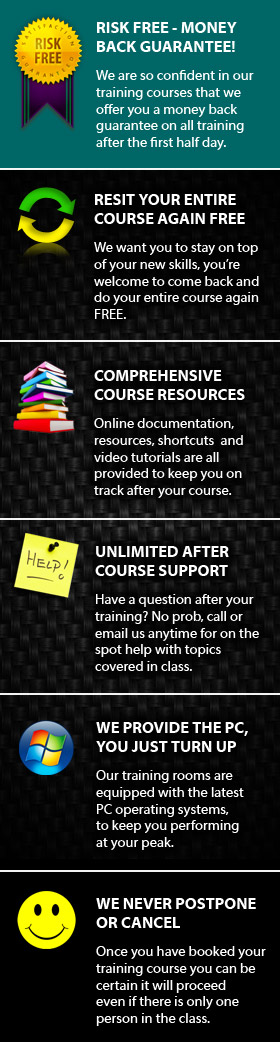
Course Materials: As part of the course you will receive many useful resources and learning links to compliment your training and help you stay on track after your course.
Certificates: All students receive a certificate of achievement on completion of their course.
After Course Support: On completion of your course you will be eligible for free email and phone support*, to aid you in the development of your new skills.
FREE Course Resit: We offer you the chance to come back in the future and resit your course for FREE*, so if you want to polish your skills further or just recap on a few things this is a great option.
What you need to bring: Nothing. We supply a PC computer for you to use with all software already installed and have note pads, pens etc in the training room. If you think it would be beneficial to bring some samples of your work that would be great but not essential.
Cost: GH¢ ?? +GST
About Our MCSE Windows Server 2012 Level 1-3 Course
Aims of the course
This course aims to introduce people with little or no understanding of the MCSE Windows Server 2012 Technician on Windows Server.
Course Objectives
On completion of the course students should understand and be able to accomplish basic operations associated with Planning a network potology, planning TCP/IP network infrastructure, planning internet connectivity, etc to Windows Server, planning a name resolution, using a routing and remote access. Configuring hardware and applications and learn to identify and fix problems, Configuring network connectivity and mobile computing, and How to monitor and maintain systems that run on Windows Server. They should also be able to use some of the more advanced MCSE Windows Server 2012 Support Technician Server:
-
Monitoring and Maintaining Systems that Run Windows Server
-
Configuring Backup and Recovery Options
-
Configuring Access to Resources
-
Deploying Windows Server
Configuring Hardware and Applications
Configuring Mobile Computing
-
Monitoring and Maintaining Systems that Run Windows Server
-
Managing and Maintaining Systems that Run Windows Server Client
Supporting Mobile Users
Identifying Cause of and Resolving Security Issues
-
Configuring Network Connectivity .
How the course is run
This instructor-led course has a hands-on approach, with plenty of opportunity for students to practise the new skills they learn at the computer.
Pre-requisites
Students attending the course should preferably have a basic understanding of the Windows environment and use of the keyboard and mouse.
COURSE DATES - SYD |
MAY |
JUN |
JUL |
AUG |
SEP |
OCT |
|---|---|---|---|---|---|---|
Windows Server 2008/12 Level 1 |
call |
call |
call |
call |
call |
call |
Windows Server 2008/12 Level 2 |
call |
call |
call |
call |
call |
call |
Windows Server 2008/12 Level 3 |
call |
call |
call |
call |
call |
call |
Course Outline
Managing and Maintaining a Microsoft Windows Server 2003
-
Managing Users, Computers and Groups.
-
Configure access to shared folders.
-
Managing and Maintaining a Server Environment.
-
Manage software update infrastructure. Monitor file and print servers.
-
Manage a Web server using IIS.
-
Manage basic disks and dynamic disks.
-
Install and configure server hardware devices.
-
Managing and Implementing Disaster Recovery.
-
Manage backup procedures and recover from the backup.
-
Recover from server hardware failure.
Implementing, Managing and maintaining a Microsoft Windows Server 2003 Network Infrastructure
-
Implementing, Managing and Maintaining IP Addressing.
-
Configure TCP/IP addressing on a server computer using DHCP.
-
Implementing, Managing and Maintaining Name Resolution using DNS Server.
-
Implementing, Managing and Maintaining Routing and Remote Access.
-
Configure remote access authentication protocols.
-
Implement secure access between private networks.
-
Manage Routing and Remote Access routing interfaces. Maintaining a Network Infrastructure.
Planning and Maintaining a Microsoft Windows Server 2003 Network Infrastructure:
-
Planning and Implementing Server Roles and Server Security.
-
Planning, Implementing and Maintaining a Network Infrastructure.
-
Planning, Implementing and Maintaining Routing and Remote Access.
-
Planning, Implementing and Maintaining Server Availability.
-
Planning and Maintaining Network Security. Planning, Implementing and Maintaining Security Infrastructure.
Planning, Implementing ad Maintaining a Microsoft Windows Server 2003 Active Directory Infrastructure:
-
Planning and Implementing an Active Directory Infrastructure.
-
Evaluate network traffic considerations when placing global catalog servers.
-
Evaluate the need to enable universal group caching.
-
Managing and Maintaining an Active Directory Infrastructure.
-
Planning and Implementing User, Computer and Group Strategies.
-
Plan a user authentication strategy. Plan a smart card authentication strategy.
-
Plan an OU structure. Planning and Implementing Group Policy.
-
Managing and Maintaining Group Policy.
-
Troubleshoot the application of Group Policy security settings.
Installing, Configuring and Administering Microsoft Windows® XP Professional:
-
Installing Windows XP Professional.
-
Implementing and Conducting Administration of Resources.
-
Manage and troubleshoot access to shared folders.
-
Connect to local and network print devices.
-
Implementing, Managing and Troubleshooting Hardware Devices and Drivers.
-
Monitoring and Optimizing System Performance and Reliability.
-
Configuring and Troubleshooting the Desktop Environment.
-
Implementing, Managing and Troubleshooting Network Protocols and Services.
-
Configuring, Managing and Troubleshooting Security.
-
Configure, manage and troubleshoot Internet Explorer security settings.
Installing, Configuring and Administering Microsof Windows 2000 Professional:
-
Installing Windows 2000 Professional.
-
Implementing and Conducting Administration of Resources.
-
Implementing, Managing and Troubleshooting Hardware Devices and Drivers.
-
Monitoring and Optimizing System Performance and Reliability.
-
Configuring and Troubleshooting the Desktop Environment.
-
Implementing, Managing and Troubleshooting Network Protocols and Services.
-
Implementing, Monitoring and Troubleshooting Security.
Designing a Microsoft Windows Server 2003 Active Directory and Network Infrastructure:
-
Creating the Conceptual Design by Gathering and Analyzing Business and Technical Requirements.
-
Creating the Logical Design for an Active Directory Infrastructure.
-
Creating the Logical Design for a Network Services Infrastructure.
-
Creating the Physical Design for an Active Directory and Network Infrastructure.
-
Design a DNS service implementation.
-
Design a NetBIOS name resolution strategy.
-
Design a network and routing topology for a company.
-
Design Internet connectivity for a company.
Designing Security for a Microsoft Windows Server 2003 Network:
-
Creating the Conceptual Design for Network. Infrastructure Security by Gathering and Analyzing Business and Technical Requirements.
-
Creating the Logical Design for Network Infrastructure Security.
-
Creating the Physical Design for Network Infrastructure Security.
-
Design a public key infrastructure (PKI) that uses Certificate Services.
-
Design security for network management.
-
Design security for wireless networks.
-
Design user authentication for Internet Information Services (IIS).
-
Design security for communication between networks.
-
Designing an Access Control Strategy for Data.
-
Creating the Physical Design for Client Infrastructure Security.
Installing, Configuring and Administering Microsoft Internet Security and Acceleration (ISA) Server 2000, Enterprise Edition:
-
Installing ISA Server.
-
Install ISA Server. Installation modes include integrated, firewall and cache.
-
Configuring and Troubleshooting ISA Server Services
-
Configure and troubleshoot outbound Internet access
-
Configure H.323 Gatekeeper for audio and video conferencing.
-
Configure and troubleshoot virtual private network (VPN) access.
-
Configuring, Managing and Troubleshooting Policies and Rules.
-
Create and configure access control and bandwidth policies.
-
Manage ISA Server arrays in an enterprise.
-
Deploying, Configuring and Troubleshooting the Client Computer.
-
Monitoring, Managing and Analyzing ISA Server Use
-
Troubleshoot problems with security and network usage.
Installing, Configuring and Administering Microsoft SQL Server 2000 Enterprise Edition:
-
Installing and Configuring SQL Server 2000.
-
Upgrade to SQL Server 2000. Create a linked server.
-
Configure network libraries. Troubleshoot failed installations.
-
Creating SQL Server 2000 Databases. Attach and detach databases.
-
Create and alter databases.
-
Perform disaster recovery operations.
-
Managing, Monitoring and Troubleshooting SQL Server 2000 Databases.
-
Extracting and Transforming Data with SQL Server 2000.
-
Managing and Monitoring SQL Server 2000 Security.
-
Managing, Monitoring and Troubleshooting SQL Server 2000.
-
Create, manage and troubleshoot SQL Server Agent jobs.
-
Monitor SQL Server system activity by using traces.
-
Monitor SQL Server system activity by using System Monitor.
Implementing and Managing Microsoft Exchange Server 2003:
-
Installing, Configuring and Troubleshooting Exchange Server 2003.
-
Prepare the environment for deployment of Exchange Server 2003.
-
Install, configure and troubleshoot Exchange Server 2003.
-
Upgrade from Exchange Server 5.5 to Exchange Server 2003.
-
Migrate from other messaging systems to Exchange Server 2003.
-
Configure Exchange 2003 for inter-operability with other SMTP messaging systems.
-
Managing, Monitoring and Troubleshooting Exchange Server Computers.
-
Perform and troubleshoot backups and recovery.
-
Manage, monitor and troubleshoot data storage.
-
Manage and troubleshoot public folders.
-
Manage and troubleshoot virtual servers.
-
Manage and troubleshoot front-end and back-end servers.
-
Managing Security in the Exchange Environment.
-
Managing Recipient Objects and Address Lists.

Our MCSE Windows Server 2012 training is perfect for anyone
who needs skills to easily proves competency in computing environ
ments that use microsoft MCSE Windows Server 2012 as a network system in an enterprise environment. Our MCSE Windows Server 2012 courses Installing, Upgrading, and Migrating to MCSE Windows Server 2012 etc and all
types of MCSE Windows Server 2012 environment at basic, intermediate and advanced levels.